Most Home Assistant setups grow the same weed: five separate automations that all do roughly the same thing, one per trigger. Home Assistant 2026.10 finally gave trigger IDs a real interface, so those five can become one. Here is how trigger IDs work, what the new UI does for you, and when merging automations is a bad idea.
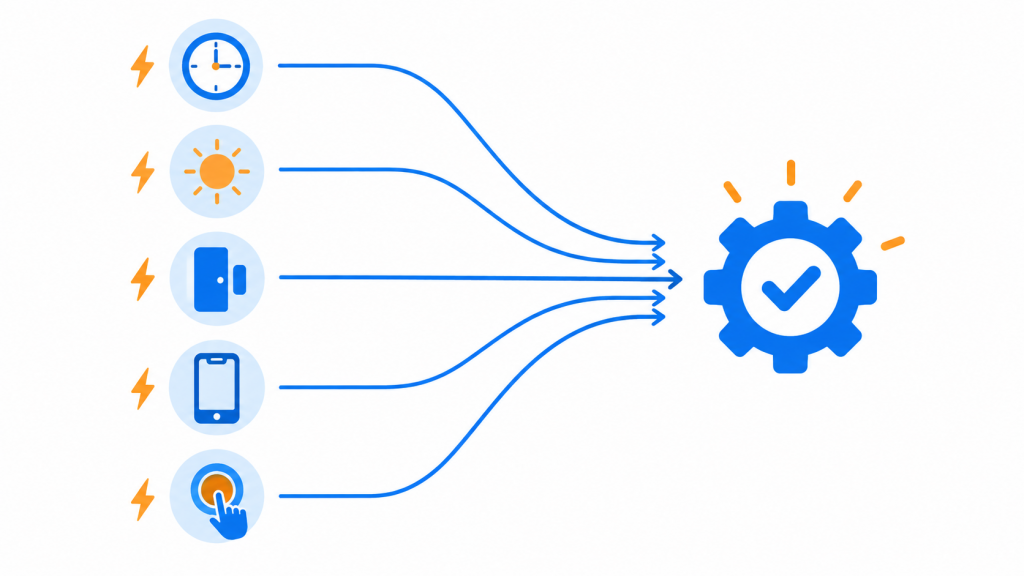
The problem: automation sprawl
Say you want a “goodnight” routine: turn off the lights, lock the covers, set the thermostat. You want it to run at 23:30, and also when you press a physical button by the bed. Without trigger IDs that is two automations with the same action list. Add “also run it when everyone leaves” and you are maintaining three copies. Change the thermostat setpoint once, forget the other two, and your house behaves differently depending on how the routine started.
What trigger IDs are
Every trigger in an automation can carry an id. When the automation fires, you can ask which trigger fired and branch on it. That has existed in YAML for years, but the ID field was hidden in each trigger’s menu, you had to invent the IDs yourself, and you had to remember them when you built the condition. Most people never found it.
What changed in 2026.10
The 2026.10 release (October 7, 2026) replaces that hidden field with a proper UI:
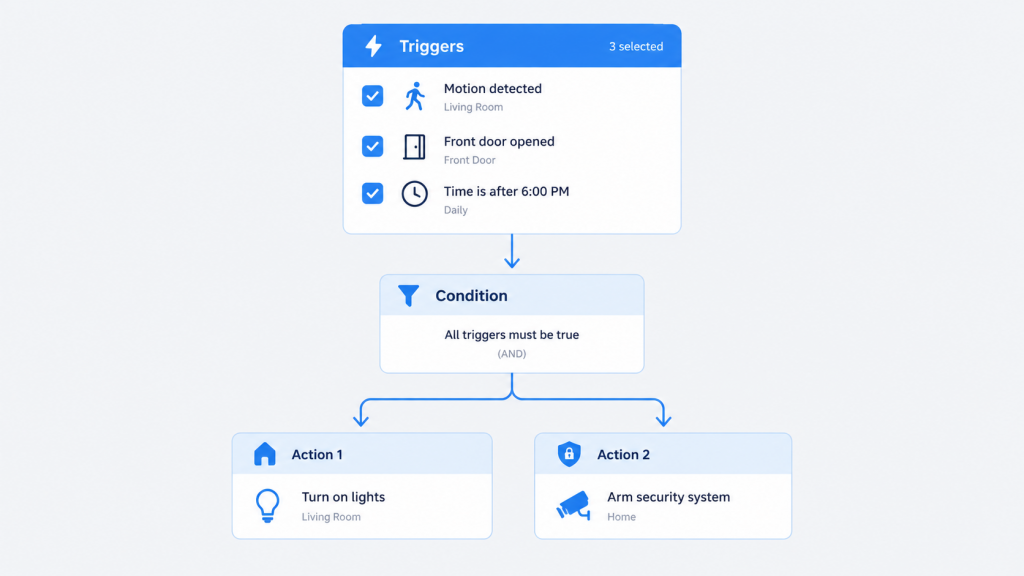
- Add a Triggered by condition and you simply tick the triggers it should match. Home Assistant assigns and manages the IDs behind the scenes.
- Triggers are numbered by their position in the list, and the same number appears next to the trigger itself, so you always know which is which.
- Remove a trigger and Home Assistant cleans up its ID for you.
- If a condition points at a trigger that no longer exists, the editor flags it so you can clear it. If several triggers share one ID, it offers a Fix that gives each trigger its own ID and updates the conditions to match.
If you already write your own IDs in YAML, nothing changes: your IDs keep working, sharing one ID between triggers is still allowed, and Home Assistant will not add IDs to your YAML.
Example: one goodnight automation instead of three
Two triggers, one automation, slightly different behavior per trigger. At 23:30 it runs the full routine; from the bedside button it also dims the hallway light first so you are not walking in the dark.
|
1 2 3 4 5 6 7 8 9 10 11 12 13 14 15 16 17 18 19 20 21 22 23 24 25 26 27 28 |
alias: Goodnight triggers: - trigger: time at: "23:30:00" id: scheduled - trigger: state entity_id: input_boolean.goodnight_button to: "on" id: button actions: - choose: - conditions: - condition: trigger id: button sequence: - action: light.turn_on target: entity_id: light.hallway data: brightness_pct: 10 - action: light.turn_off target: area_id: living_room - action: climate.set_temperature target: entity_id: climate.bedroom data: temperature: 18 |
In the UI you do not type scheduled or button at all: add the two triggers, add a Choose, inside it add a Triggered by condition, and tick the button trigger. The IDs exist, you just never have to invent or remember them.
Example: one notification automation for every door
Another good use: different messages per trigger. One automation, one trigger per door, and a Choose that sends a different notification depending on which door opened. Adding a fourth door is one trigger and one Choose branch, not a new automation.
When NOT to merge
- Different modes or restart behavior. If one automation must be
singleand anotherrestart, they stay separate. Mode is per automation, not per trigger. - Unrelated logic. “Everything about the goodnight routine” is a good merge. “Everything that turns lights off” is not – you will spend more time reading the Choose tree than you saved.
- Different conditions. Conditions at the top of the automation apply to every trigger. If only one trigger needs the condition, it belongs in a Choose branch or in its own automation.
Bottom line
Trigger IDs were always one of the strongest automation features; 2026.10 just made them discoverable. If you have a folder of near-duplicate automations, this is the release that lets you delete them.