Find Out Why a Home Assistant Automation Did Not Work
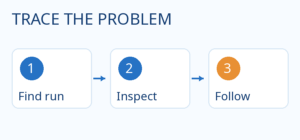
Use Home Assistant traces and activity to find where an automation stopped and decide what to check next.
Read article: Find Out Why a Home Assistant Automation Did Not WorkUse Home Assistant traces and activity to find where an automation stopped and decide what to check next.
Read article: Find Out Why a Home Assistant Automation Did Not WorkBuild a simple Home Assistant dashboard card that highlights selected low battery readings and flags sensors that are not reporting.
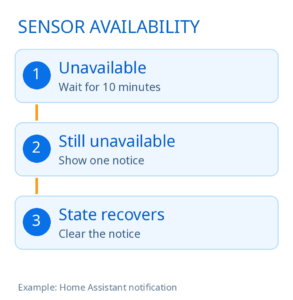
Read article: A Home Assistant Battery Check for Low and Missing ReadingsCreate a single Home Assistant notification when an important sensor stays unavailable, and clear it automatically after recovery.
Read article: Know When an Important Home Assistant Sensor Goes UnavailableA practical look at the 2026.11 beta: the community Marketplace, target exclusions, automatic dashboard sections, and entity naming changes.
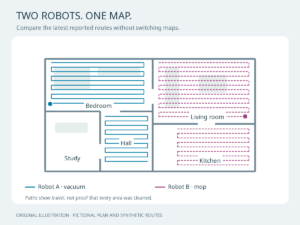
Read article: Home Assistant 2026.11 Beta: Four Changes Worth CheckingBuild one Home Assistant map for multiple Dreame vacuums, align their routes, and retain each robot’s latest run after docking.
Read article: One Map for Multiple Dreame Vacuums in Home AssistantMost Home Assistant setups grow the same weed: five separate automations that all do roughly the same thing, one per trigger. Home Assistant 2026.10 finally gave trigger IDs a real interface, so those five can…
Read article: Trigger IDs in Home Assistant 2026.10: Replace 5 Automations with 1A delayed Home Assistant action can be canceled by a restart. Save the shutoff as a real date and time instead, then let an automation check that deadline both when it arrives and when Home…
Read article: Restart-Safe Timed Switch in Home AssistantWhen integrating Zigbee devices with Home Assistant, you have two main options: Zigbee Home Automation (ZHA) and Zigbee2MQTT (Z2M). Both solutions are powerful but cater to different user needs. In this post, we’ll compare them…
Read article: ZHA vs. Zigbee2MQTT: Which One Should You Choose for Home Assistant?If you are using Home Assistant, either via a virtual machine or directly on a desktop computer, the best way to shut down Home Assistant without causing inconsistencies is to gracefully shut down the host.
Read article: Gracefully shut down Home Assistant with CLIAre you having issues with Tuya integration on Home-Assistant? Well, unfortunately, some versions of HA cause it to stop receiving updates to sensors/devices (lights, air condition, etc.). Most of the time, reloading the integration via…
Read article: Reload Tuya Integration Every One Hour on Home Assistant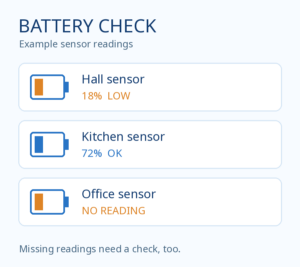





You must be logged in to post a comment.